Search for “AI email generator” and most results look the same. A list of tools, a few surface-level descriptions, and broad claims about saving time. What’s missing is a clear understanding of how these tools actually fit into real workflows.
Email remains one of the highest-leverage communication channels across business, sales, and operations. It is also one of the most repetitive. Writing follow-ups, outreach messages, internal updates, and campaign emails requires constant context switching. The cost is not just time, but cognitive load. Each email demands clarity, tone control, and intent alignment.
AI email writing tools have emerged as a response to this friction. Not as replacements for thinking, but as systems that reduce the effort required to move from intent to draft. That distinction matters. The tools that perform well are not the ones that generate the longest emails, but the ones that help structure communication quickly and allow refinement without starting from scratch.
This is where most articles fall short. They treat all tools as interchangeable and focus on features instead of use cases. In practice, an AI tool that works well for cold outreach will not necessarily work for internal communication. A tool optimized for marketing campaigns will behave differently from one designed for day-to-day email writing.
This guide takes a different approach. Instead of listing tools in isolation, it breaks down how AI email writing works, the types of tools available, and where each one fits. The goal is not just to help choose a tool, but to understand how to use it effectively in real scenarios.
Key Takeaways
- AI email generators and AI email writing tools improve speed and structure, but they still rely on clear input and human refinement to produce effective emails
- Different tools serve different purposes, from flexible drafting tools like ChatGPT to specialized platforms for outreach, campaigns, and CRM-driven communication
- Free AI email tools are often sufficient for individuals and small teams, especially for drafting and rewriting everyday emails
- The quality of output depends heavily on prompt clarity, context, and the ability to refine tone and personalization
- The most effective workflow treats AI as a draft accelerator, not a replacement for judgment or communication strategy
- Choosing the right tool becomes easier when decisions are based on use case, workflow, and volume rather than feature lists or popularity
Table of Contents
What AI Email Writing Tools Actually Do
Most descriptions of AI email tools stop at “they generate emails.” That is technically true, but it misses how these tools are actually used in practice.
At a functional level, these systems sit between intent and execution. The user brings context, goals, and constraints. The tool translates that into structured language. The value lies in reducing the effort required to get to a usable draft, not in producing a finished email on its own.
The Core Layer: From Prompt to Structured Draft
Every AI email tool operates on the same underlying pattern. It takes an input, usually a short instruction, and expands it into a structured output.
A simple instruction like:
- “Follow up after a product demo”
- “Cold email to a marketing manager about analytics software”
gets translated into a recognizable email format:
- Opening context
- Reason for writing
- Value proposition
- Call to action
This is where AI performs well. It understands common communication patterns and replicates them quickly. What would normally take five to ten minutes of thinking and typing becomes a starting point generated in seconds.
The real advantage here is not speed alone. It is the removal of friction at the beginning. Starting from a blank screen is often the hardest part of writing emails. AI removes that barrier.
The Second Layer: Rewriting, Not Just Writing
In real workflows, users rarely generate emails from scratch every time. They already have drafts, rough notes, or previous conversations.
AI tools are often more useful as rewriting engines than as generators.
They can:
- Simplify long emails into concise versions
- Adjust tone from formal to conversational
- Improve clarity without changing intent
- Turn bullet points into structured messages
This becomes particularly useful in professional settings where tone matters. A message that feels too direct, too vague, or too verbose can be quickly reshaped without rewriting it manually.
The Third Layer: Variation at Scale
Another practical use case is generating multiple versions of the same email.
For example:
- Different subject lines for A/B testing
- Multiple outreach variations for cold email campaigns
- Alternative phrasing for follow-ups
Writing these manually is repetitive and mentally draining. AI handles this well because it can produce variations that follow the same structure while changing wording and emphasis.
This is one of the few areas where AI provides a clear efficiency gain, especially in marketing and sales workflows.
Where AI Breaks Down
Despite these strengths, there are consistent limitations that show up across tools.
AI struggles when:
- The context is complex or highly specific
- The email requires nuanced judgment
- The message depends on relationship history
- Brand voice needs to be tightly controlled
For example, a negotiation email or a sensitive internal communication often requires more than structure. It requires judgment, restraint, and awareness of subtle cues. AI tends to default to safe, generic language in these situations.
Another issue is over-optimization. Many tools produce emails that are technically correct but feel predictable. They follow familiar patterns that can reduce impact if left unedited.
The Real Use Case: Draft Acceleration, Not Automation
The most effective way to think about AI email tools is not as automation systems, but as draft accelerators.
They:
- Reduce the effort required to start
- Provide structure quickly
- Allow faster iteration
But they still depend on:
- Clear intent from the user
- Editing for tone and accuracy
- Contextual adjustments
The gap between a generated email and an effective email is where human input still matters.
Understanding this boundary is important. It prevents over-reliance and leads to better outcomes. Instead of expecting AI to replace writing, it becomes a tool that supports it.
Types of AI Email Writing Tools
Most content on this topic treats all AI email tools as if they belong to the same category. That creates confusion because these tools are built for very different workflows. The difference is not just in features. It’s in how and where they are used.
A more useful way to approach this is to look at the role each type of tool plays in the writing process.
AI Email Generators
AI email generators are the most straightforward tools in the category. They take a short instruction and turn it into a complete email draft.
The strength here lies in structure. Given a simple prompt, these tools can produce a coherent email with a clear beginning, middle, and end. This is especially useful when the user knows what they want to say but does not want to spend time shaping the message.
They work well for first drafts, repetitive communication, and situations where speed matters more than precision.
They struggle when context is complex, when the message requires subtlety, or when tone needs to be tightly controlled.
In practice, these tools are most effective as starting points rather than final outputs.
AI Email Assistants (Inbox-Integrated Tools)
These tools operate inside email platforms like Gmail or Outlook. Instead of generating full emails in isolation, they support writing in real time.
The key advantage is continuity. There is no need to switch tools. The writing, editing, and sending all happen in one place.
They are designed to suggest replies, improve clarity, and adjust tone within an existing draft.
This makes them particularly useful in environments where email volume is high and response time matters.
They work well for daily communication, sales conversations, and customer interactions.
They are less useful for creating large volumes of emails at once or for campaign-level writing.
These tools focus on improving the quality and speed of individual emails rather than generating content at scale.
AI Subject Line Generators
Subject lines are a small part of the email, but they carry disproportionate weight. Whether an email gets opened often depends on that single line.
These tools focus specifically on generating subject line variations. They help test different angles, tones, and levels of curiosity.
They are most relevant for marketing emails, newsletters, and outreach campaigns.
They are not designed to handle the full email body, and they are rarely used in isolation. Most often, they complement broader writing tools.
AI Personalization and Outreach Tools
This category shifts the focus from writing to relevance. These tools are built to personalize emails at scale, often using external data.
They can reference recipient details, customize opening lines, and adjust messaging based on context.
This is particularly valuable in cold outreach, where generic emails tend to perform poorly.
They work well for sales prospecting, lead generation, and outreach campaigns.
They are less relevant for internal communication or general-purpose email writing.
Their strength lies in personalization rather than handling a wide range of email types.
AI Email Marketing Platforms with Built-In Writing
Some tools combine email writing with campaign management. In these systems, AI is one component of a larger workflow.
They support campaign creation, automated sequences, A/B testing, and performance tracking.
The writing component helps generate campaign emails and variations, but it is tightly integrated with marketing features like segmentation and analytics.
They are best suited for marketing teams, structured campaigns, and lifecycle communication.
They are not ideal for quick, one-off emails or everyday communication.
Why This Distinction Matters
The biggest mistake users make is choosing a tool without understanding how it fits into their workflow.
A standalone generator may feel inefficient when used for daily email replies. An inbox assistant may feel limiting when trying to create campaign content. A personalization tool may be unnecessary for routine communication.
Once the categories are clear, tool selection becomes much easier. Each type serves a specific purpose, and using it in the right context leads to better outcomes.
Best AI Email Writing Tools (Detailed Breakdown)
Most lists of AI email tools focus on features in isolation. That approach misses how these tools actually get used. In practice, tools fall into two distinct layers. One set helps generate emails quickly. The other sits inside workflows and understands context.
This distinction matters because it shapes output quality more than feature lists.
Flexible AI Email Generators (Drafting-Focused Tools)
These tools focus on turning prompts into structured emails. They are best used for drafting, rewriting, and generating variations.
ChatGPT
ChatGPT remains one of the most versatile AI email writers available.
It handles a wide range of scenarios, from professional emails to cold outreach and follow-ups. The strength lies in flexibility. With clear prompts, it can generate structured emails, adjust tone, and produce multiple variations.
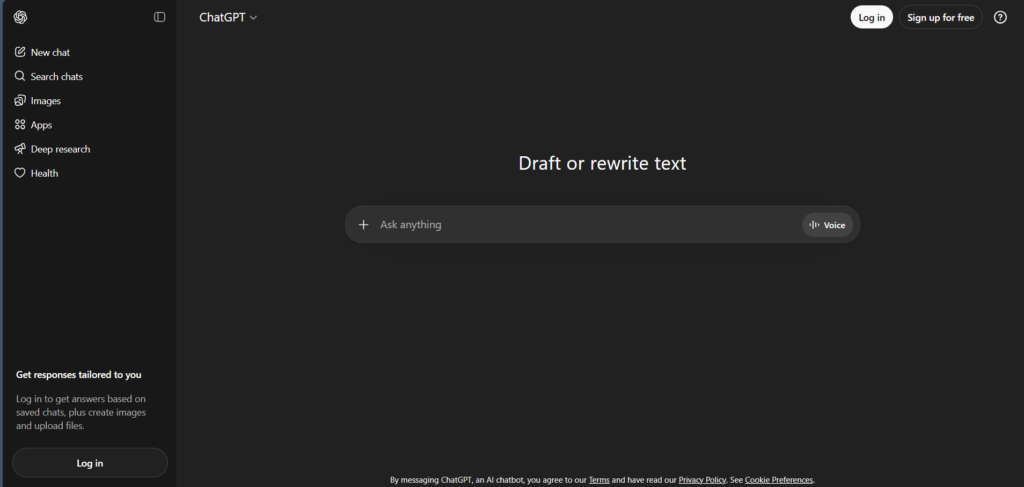
It works particularly well when the user wants control over messaging rather than relying on fixed templates.
The limitation is consistency. Without precise instructions, outputs can become generic.
Pricing: Free tier available, with paid plans for advanced models.
Jasper
Jasper is built around structured marketing workflows.
It provides predefined templates for email campaigns, promotional messages, and business communication. This makes it easier to produce consistent outputs at scale.
It works best for marketing teams and campaign-driven email writing.
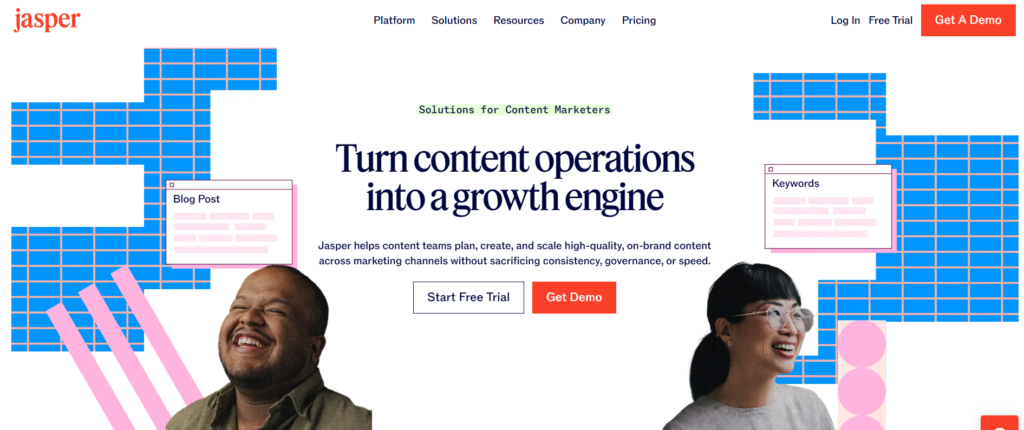
The trade-off is flexibility. It is less effective for unconventional or highly specific communication.
Pricing: Paid plans with limited trials.
Copy.ai
Copy.ai is designed for speed and ease of use.
It generates multiple email variations quickly, making it useful for brainstorming and first drafts. The interface is simple, which reduces friction.
It works well for short emails and quick drafts.
The limitation is depth. Outputs can feel repetitive without refinement.
Pricing: Free plan available with usage limits.
Writesonic
Writesonic focuses on persuasive email writing.
It performs well for sales emails, promotional messages, and marketing communication. The structure often aligns with conversion-focused frameworks.
It works best when the goal is clear, such as driving a response or action.
The limitation is nuance. Editing is required for more subtle communication.
Pricing: Freemium model with usage-based limits.
Rytr
Rytr is a lightweight, budget-friendly AI email generator.
It offers basic drafting capabilities with minimal complexity. It is easy to use and works well for routine communication.
It is suitable for individuals and small teams.
The limitation is sophistication. It lacks the depth of more advanced tools.
Pricing: Free plan available with low-cost paid options.
Anyword
Anyword adds a performance layer to email writing.
It provides predictive scoring, helping users understand how content might perform. This is useful for optimizing marketing emails.
It works best in campaign contexts.
The limitation is general use. It is less relevant for everyday email writing.
Pricing: Paid plans only.
Personalization and Outreach-Focused Tools
These tools go beyond drafting and focus on improving relevance.
Smartwriter.ai
Smartwriter is built for personalized outreach at scale.
It generates emails using contextual data, making cold emails feel more tailored. This improves response rates compared to generic templates.
It works best for sales and lead generation.
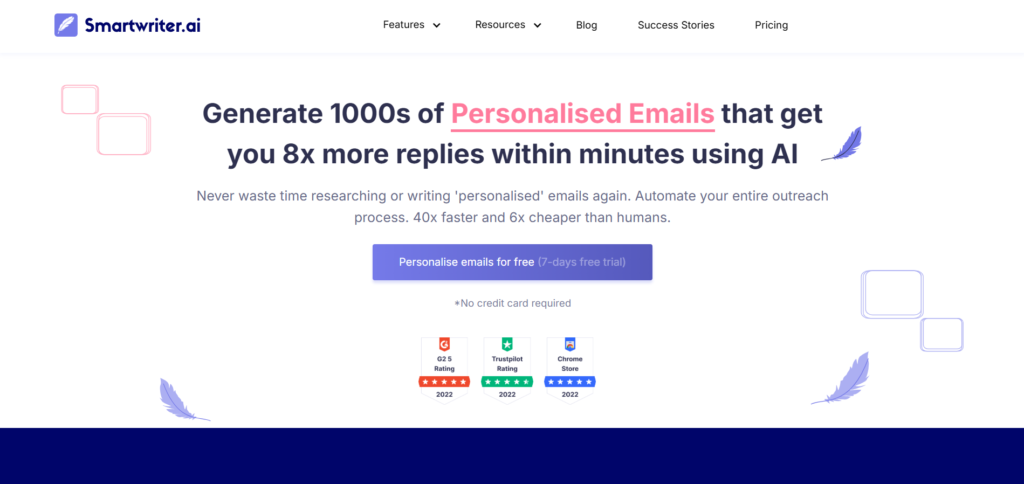
The limitation is scope. It is not designed for general-purpose email writing.
Pricing: Paid plans.
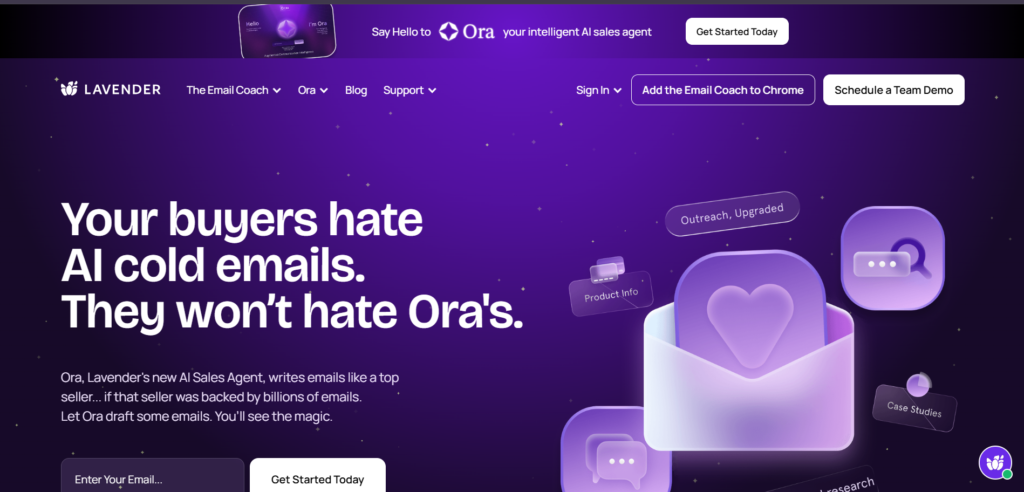
Lavender
Lavender functions as an email coach rather than a generator.
It provides real-time feedback on tone, clarity, and effectiveness. It helps refine emails instead of creating them from scratch.
It works well for sales professionals and high-stakes communication.
The limitation is generation. It depends on existing drafts.
Pricing: Free tier available with paid upgrades.
Next-Generation AI Email Assistants (Context-Aware Tools)
This is where the category is evolving. These tools do not just generate emails. They understand context, summarize conversations, and assist directly inside the inbox.
Microsoft Copilot (Outlook)
Microsoft Copilot integrates AI directly into Outlook and the broader Microsoft ecosystem.
It can draft emails using context from previous conversations, summarize long threads, and generate replies based on calendar and document data.
It works best in enterprise environments where email, meetings, and documents are interconnected.
Pricing: Included in Microsoft 365 Copilot plans.
Google Gemini (Gmail “Help Me Write”)
Google’s Gemini powers the “Help Me Write” feature inside Gmail.
It generates emails, rewrites drafts, and suggests replies directly within the compose window. It also summarizes email threads, which reduces reading time.
It works best for users already operating inside the Google ecosystem.
Pricing: Available within Google Workspace plans.
GrammarlyGO
GrammarlyGO extends Grammarly from grammar correction into AI-assisted writing.
It can generate emails, rewrite drafts, and adjust tone while maintaining consistency. It operates directly inside email clients and browsers.
It works well as a refinement layer rather than a standalone generator.
Pricing: Available within Grammarly plans.
Superhuman AI
Superhuman focuses on speed and efficiency inside the inbox.
Its AI features include drafting replies, summarizing conversations, and helping users process emails faster. The emphasis is on workflow optimization rather than content generation alone.
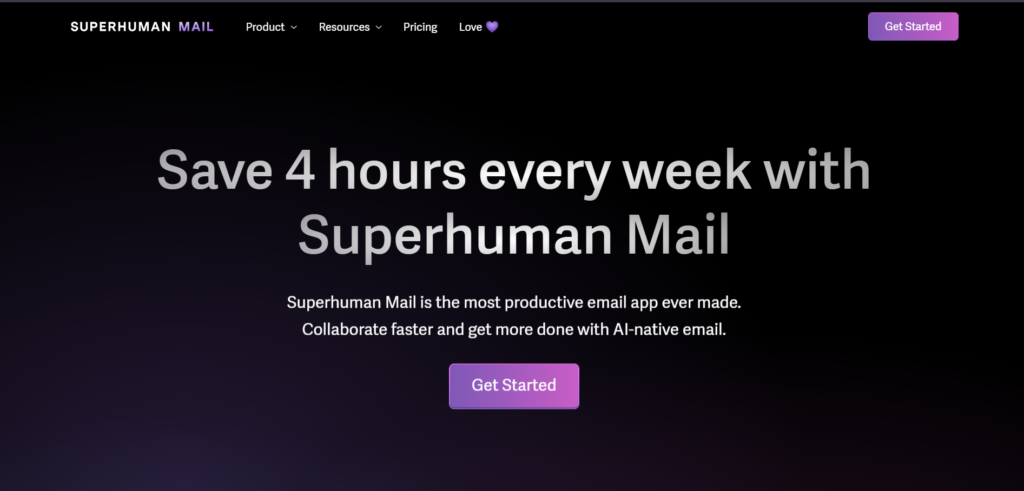
It is best suited for high-volume email users.
Pricing: Premium subscription.
MailMaestro
MailMaestro is designed to reduce the cognitive load of email writing.
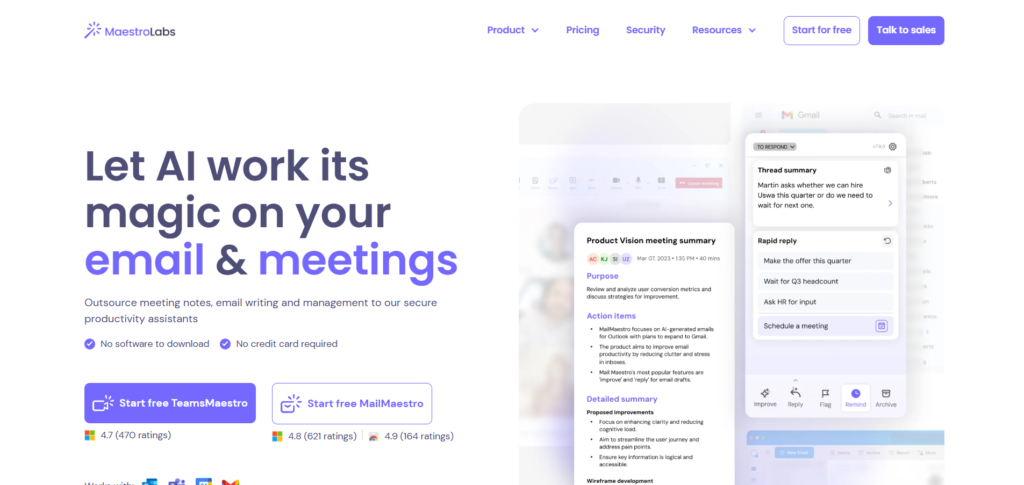
It can summarize threads, generate replies, and provide multiple response options based on context. This makes it useful for handling complex conversations quickly.
Pricing: Paid plans with trials.
Why This Evolution Matters
The shift is clear. AI is moving from generating emails to managing communication.
Earlier tools focused on writing. Newer tools focus on understanding context, reducing decision-making, and improving workflow.
This changes how email is handled. Instead of starting from scratch or even from a draft, users increasingly work with systems that already understand the conversation.
That shift is what will define the next generation of AI email tools.
Free AI Email Generators (Worth Using)
Most users begin with free tools, and for good reason. The barrier to entry is low, and for many use cases, these tools are more capable than expected. The key is to understand where free tools are sufficient and where they start to show limitations.
ChatGPT (Free Tier)
The free version of ChatGPT remains one of the most practical starting points for email writing.
It can handle drafting full emails from prompts, rewriting existing messages, and adjusting tone and structure. The flexibility is the main advantage. Unlike template-driven tools, it allows complete control over how the email is shaped.
Where it works well includes professional emails, follow-ups, and general communication. Where it starts to limit is the lack of built-in workflow integration and the need for manual prompting to maintain consistency.
For most individuals, this alone can cover a large portion of email writing needs.
Copy.ai (Free Plan)
Copy.ai offers a limited free plan that allows users to generate email content quickly.
It provides email templates, multiple output variations, and simple input-driven generation. The interface is designed for speed, which makes it useful when quick drafts are needed without much setup.
It works well for short emails, idea generation, and basic marketing emails. Its limitations show up in usage caps and outputs that can feel repetitive without editing.
Rytr (Free Plan)
Rytr’s free plan is one of the more generous options for basic usage.
It offers email generation, tone selection, and lightweight editing. The simplicity is its biggest advantage, with very little friction in getting started.
It works well for routine communication and simple email drafts. It becomes limiting when emails require depth, nuance, or more advanced control.
HubSpot AI (Limited Free Access)
HubSpot provides some AI email features within its free CRM tier.
It allows email drafting within the CRM and basic personalization using stored data. This becomes useful when emails are tied to contacts, deals, or pipelines.
It works well for sales communication and CRM-driven workflows. Its usefulness drops outside the HubSpot ecosystem.
When Free Tools Are Enough
Free tools are sufficient when email volume is moderate, the focus is on drafting rather than automation, and there is no need for deep integration.
They are particularly effective for individuals, freelancers, and small teams who want to improve speed without committing to paid tools.
When to Consider Paid Tools
Limitations begin to show when email writing becomes high-volume, consistency across emails starts to matter, or workflows require integration with other systems.
Paid tools also become relevant when personalization at scale is needed or when teams require more structured processes.
This section clarifies an important decision point. Many users do not need advanced tools immediately. Starting with free tools and upgrading based on actual usage is often the more practical path.
How to Choose the Right AI Email Writing Tool
Most users approach this category by comparing features. That rarely leads to a good decision. The better approach is to start with context. The right tool depends on what kind of emails are being written, how often they are written, and where they fit in the workflow.
Once that is clear, the choice becomes straightforward.
Based on Use Case
Different types of emails demand different capabilities. A tool that works well for marketing emails may not be effective for internal communication.
For professional and day-to-day emails, flexibility matters more than templates. Tools like ChatGPT or Rytr work well because they adapt to different tones and situations without forcing a structure.
For marketing emails, structure becomes more important. Tools like Jasper, Writesonic, or Mailmodo are better suited because they are built around campaign logic and persuasive frameworks.
For cold outreach, personalization is the defining factor. Tools like Smartwriter or Lavender are designed to improve relevance and response rates rather than just generate text.
The mistake most users make is choosing a tool based on popularity instead of fit. Once the use case is clear, many options can be ruled out quickly.
Based on Workflow
The next consideration is where the writing actually happens.
If emails are written occasionally, standalone tools are sufficient. Opening a tool, generating a draft, and copying it into an email client is not a problem.
If email writing is frequent, this approach becomes inefficient. In such cases, inbox-integrated tools provide a better experience because they reduce friction. Writing, editing, and sending happen in the same place.
This distinction matters more than most feature comparisons. A slightly less powerful tool that fits into the workflow often performs better in practice.
Based on Volume
Volume changes everything.
For low to moderate usage, free tools or simple generators are enough. The focus is on speed and convenience.
As volume increases, consistency becomes important. Teams need emails to follow a certain structure, maintain tone, and align with broader communication goals. This is where structured tools and paid plans become useful.
At very high volumes, especially in marketing or outreach, automation and personalization start to matter. Tools that integrate with CRM systems or campaign platforms become necessary.
Based on Level of Control
Some users prefer complete control over what gets written. Others prefer guided systems that reduce decision-making.
Open-ended tools like ChatGPT provide maximum control. The user defines the structure, tone, and direction. This works well for those who are comfortable shaping prompts and editing outputs.
Template-driven tools like Jasper or Copy.ai reduce the need to think about structure. They guide the user through predefined formats. This works well when consistency matters more than flexibility.
Choosing between control and structure is often a matter of preference, but it has a direct impact on the quality of output.
Based on Budget
Cost becomes relevant once usage stabilizes.
Free tools are often enough for individuals and small teams. They provide a noticeable improvement in speed without any financial commitment.
Paid tools start to make sense when:
- Email writing is frequent
- Time savings translate into real value
- Teams require consistency and coordination
In most cases, the transition from free to paid is gradual. Users start with free tools, identify limitations, and upgrade when those limitations begin to affect workflow.
A Practical Way to Decide
Instead of evaluating ten tools at once, a simpler approach works better.
Start with one flexible tool. Use it across different types of emails. Identify where it performs well and where it falls short.
Once the gaps are clear, it becomes easier to choose a second tool that fills those gaps, whether that is for personalization, integration, or campaign management.
This layered approach leads to better outcomes than trying to find a single tool that does everything.
How to Use AI to Write Better Emails (Practical Approach)
Most users expect an AI email generator or AI email writer to produce a perfect email in one attempt. That expectation usually leads to disappointment. The real value of these tools comes from how they are used, not just which tool is chosen.
In practice, strong results follow a simple pattern. The user provides clarity. The AI provides structure. The final quality comes from refinement.
Step 1: Define the Intent Clearly
Every effective email starts with a clear objective. Without that, even the best AI email writing tool will produce generic output.
Before using any AI email assistant, define:
- What is the purpose of the email
- Who is the recipient
- What action should the recipient take
For example, a vague prompt like “write a follow-up email” produces predictable output. A clearer prompt such as “write a follow-up email after a product demo, asking for feedback and proposing a next meeting” leads to a more usable draft.
The quality of the input directly shapes the output.
Step 2: Generate the First Draft
Once the intent is clear, the AI email generator becomes useful. At this stage, the goal is not perfection. It is momentum.
Use the tool to:
- Create a structured draft
- Explore different versions
- Test alternative angles
This removes the friction of starting from scratch. Instead of thinking about structure, the focus shifts to improving what already exists.
Many users make the mistake of judging the tool at this stage. That is premature. The first draft is only the starting point.
Step 3: Refine Tone and Clarity
AI-generated emails often get the structure right but miss the tone.
This is where editing becomes critical. Most AI email writing tools can rewrite content, so use that capability.
Adjust for:
- Formal vs conversational tone
- Directness vs softness
- Length and clarity
For example, a cold email may need to feel concise and respectful, while a marketing email may require more energy and persuasion.
This step transforms a generic draft into something that feels intentional.
Step 4: Add Context and Personalization
This is where most AI-generated emails fail if left untouched.
A strong email includes specific details. Without them, it feels templated.
Improve the draft by adding:
- Recipient name and role
- References to previous interactions
- Relevant context or triggers
- Specific value propositions
Some AI email tools can assist with personalization, but manual input still plays a major role. This is especially important in outreach and professional communication.
Step 5: Generate Variations When Needed
One of the advantages of using an AI email writer is the ability to create multiple versions quickly.
This is useful for:
- Subject line testing
- Outreach campaigns
- Follow-up sequences
Instead of manually rewriting emails, generate variations and compare them. This approach saves time and improves quality through iteration.
Step 6: Final Human Pass
The final step is often overlooked.
Before sending the email:
- Check for accuracy
- Remove unnecessary phrases
- Ensure the message aligns with the original intent
AI tools tend to produce safe, neutral language. A quick human pass helps sharpen the message and remove anything that feels generic.
This is where the email becomes effective rather than just correct.
What This Process Changes
Using an AI email generator in this structured way shifts the role of writing.
The process moves from:
- Writing from scratch
to - Editing and refining
That shift reduces effort while improving consistency.
Over time, this approach leads to faster writing, clearer communication, and better outcomes, regardless of which AI email writing tool is being used.
Common Mistakes to Avoid
AI email tools can improve speed and consistency, but they also introduce a different set of problems when used without awareness. Most of these mistakes are not technical. They come from how the tools are used.
Understanding these patterns early prevents generic communication and improves results significantly.
Treating AI Output as Final
One of the most common mistakes is sending emails exactly as they are generated.
AI email generators produce structurally correct messages, but they often lack specificity and intent. The language tends to be safe, which makes the email feel interchangeable with dozens of others.
Without editing, even a well-written email can lose impact.
A quick review and refinement step makes a noticeable difference in clarity and tone.
Using Vague Prompts
AI tools respond directly to the quality of the input.
A prompt like “write a professional email” provides no direction. The output reflects that lack of clarity.
More specific inputs lead to better results. Including context, purpose, and desired tone allows the AI email writer to generate something closer to what is actually needed.
This is one of the simplest ways to improve output quality.
Ignoring the Recipient Context
Emails are not just about content. They are about who is receiving the message.
AI-generated emails often default to neutral language because they do not fully understand the relationship between sender and recipient.
Without adding context, the email may feel too generic, too formal, or slightly off in tone.
Adjusting the message based on:
- Relationship
- Industry
- Previous interaction
makes the communication more effective.
Over-Reliance on Templates
Many AI email tools, especially structured platforms, rely on templates.
Templates are useful for consistency, but they can also create repetition. Over time, emails start to feel similar, even when the content changes.
Relying entirely on templates reduces differentiation, particularly in outreach and marketing emails.
Using templates as a base and then modifying them leads to better results.
Choosing the Wrong Tool for the Task
Not all AI email tools are designed for the same purpose.
Using a campaign-focused tool for daily communication, or a basic generator for large-scale outreach, often leads to frustration.
Aligning the tool with the use case is more important than choosing the most popular option.
This is why understanding tool categories earlier becomes important.
Skipping the Final Review
The final review is where most improvements happen, yet it is often skipped.
Even strong AI-generated emails benefit from:
- Removing unnecessary phrases
- Tightening sentences
- Ensuring the message aligns with the original intent
This step takes very little time but has a disproportionate impact on quality.
What These Mistakes Lead To
When these issues combine, the result is predictable.
Emails become:
- Generic
- Slightly impersonal
- Easy to ignore
Avoiding these mistakes does not require advanced skill. It requires awareness of how AI tools behave and where human input still matters.
Frequently Asked Questions (FAQs)
What is an AI email generator?
An AI email generator is a tool that creates email content based on a prompt or instruction. It can generate full emails, rewrite drafts, suggest subject lines, and adjust tone depending on the context provided. Most AI email generators use large language models to structure messages quickly, making them useful for both personal and professional communication.
What is the difference between an AI email writer and an AI email assistant?
An AI email writer typically generates emails from scratch based on prompts. It focuses on drafting content. An AI email assistant works within an email platform, such as Gmail or Outlook, and helps refine emails in real time. It can suggest replies, improve tone, and edit drafts without requiring a separate tool. Both serve different roles, and many users end up using a combination of the two.
Which is the best AI email writing tool?
There is no single best AI email writing tool for all use cases. ChatGPT works well for flexible, general-purpose email writing. Jasper and Writesonic are more suited for marketing emails. Tools like Smartwriter and Lavender are better for outreach and optimization. The right choice depends on the type of emails being written and how frequently they are used.
Are free AI email generators good enough?
Free AI email generators are often sufficient for basic use cases such as drafting emails, rewriting content, and improving clarity. They start to show limitations when email volume increases or when consistency, personalization, and workflow integration become important. In those cases, paid tools offer more control and efficiency.
Can AI write professional emails?
Yes, AI can generate professional emails with clear structure and appropriate tone. However, the output usually requires editing to ensure it aligns with the specific context, relationship, and intent of the message. The best results come from combining AI-generated drafts with human refinement.
Is it safe to use AI for email writing?
Most AI email tools are safe to use, but sensitive or confidential information should be handled carefully. It is advisable to avoid sharing private data, internal business details, or client-specific information unless the platform’s data policies are clearly understood. Using AI for general drafting and editing is widely considered safe, especially when combined with manual review.