AI email generator tools are changing how people write emails, whether it’s a quick reply, a follow-up, or a professional outreach message. Instead of starting from a blank screen, you can describe what you need and get a structured draft in seconds. But not all tools work the same way. Some focus on speed, others on tone, and a few are built for specific workflows like sales or customer support. This makes choosing the right tool less obvious than it seems. In this guide, we’ll break down how AI email generators work, where they help most, and which ones are actually worth using.
Key Takeaways
- AI email generators help you create structured email drafts quickly from simple prompts
- They work best for repeatable use cases like professional emails, follow-ups, and outreach
- Free AI email generators are sufficient for basic use but come with limitations
- Personalization, context, and tone still require manual refinement
- AI email generators and AI email assistants serve different roles and can be used together
- The best tool depends on your workflow, volume of emails, and level of control needed
Table of Contents
What Is an AI Email Generator?
Most people think of these tools as simple writing shortcuts. In practice, they’re structured systems that turn a short input into a usable email draft.
Definition
An AI email generator is a tool that creates complete email drafts based on a prompt. You provide a few details, such as the purpose, tone, or key points, and the tool generates a structured message that you can edit or send.
Unlike basic templates, these tools adapt the content based on your input. That flexibility is what makes them useful across different situations.
How It Works
At a high level, the process is simple, but the output quality depends on how you use it.
- You enter a prompt describing what you want to write
- The tool interprets intent and context
- It generates a draft with subject line, body, and tone
- You review and refine before sending
Most tools rely on large language models trained on vast amounts of text. That’s why they can mimic natural email patterns, from formal business communication to casual replies.
What Can an AI Email Generator Do?
Once you move past the novelty, the real value of an AI email generator shows up in how many small, repetitive writing tasks it can take off your plate. It’s less about writing perfect emails and more about getting to a solid draft quickly.
Generate Full Emails from Scratch
This is the core use case.
You describe the situation, and the tool creates a complete email with structure, tone, and flow already in place. This works especially well when you know what you want to say but don’t want to spend time framing it.
Typical scenarios:
- Reaching out to a client
- Writing a follow-up after a meeting
- Responding to a professional inquiry
Rewrite and Improve Existing Emails
Instead of starting over, you can paste a rough draft and ask the tool to improve clarity, tone, or structure.
This is useful when:
- The message feels unclear
- The tone is too blunt or too casual
- You want a more polished version quickly
Adjust Tone and Style
Most tools let you control how the email sounds.
You can shift between:
- Formal and professional
- Friendly and conversational
- Persuasive or direct
This becomes important when you’re writing to different audiences and need to adjust your voice without rewriting everything.
Generate Subject Lines
A good subject line often takes longer than the email itself.
AI tools can generate multiple options based on the email content, helping you test different angles like:
- Direct and clear
- Curiosity-driven
- Action-oriented
Create Variations Quickly
Instead of writing one version and tweaking it manually, you can generate multiple versions in seconds.
This is useful for:
- A/B testing outreach emails
- Trying different messaging angles
- Exploring tone variations
Summarize and Respond to Emails
Some tools can also take a long email and generate a concise reply or summary.
This helps when:
- You’re dealing with long threads
- You need a quick, structured response
- You want to avoid missing key points
At this point, the pattern becomes clear. These tools are less about replacing writing and more about reducing the time it takes to get to a usable draft.
Where AI Email Generators Work Best
These tools are not equally effective across every type of email. Their real strength shows up in situations where structure is predictable and the goal is clear.
Professional and Business Emails
This is where most people see immediate value.
AI email generators handle standard business communication well because the format is familiar and repeatable. You’re often working within known patterns, which makes it easier for the tool to produce something usable.
Common use cases:
- Meeting requests
- Status updates
- Client communication
- Internal coordination
Follow-Up Emails
Follow-ups are simple in theory but often delayed because they require the right tone.
AI tools help by quickly framing a polite, clear message without overthinking it. You can generate a draft in seconds and adjust it based on the context.
Typical scenarios:
- Following up after a meeting
- Checking in on pending responses
- Re-engaging a cold conversation
Customer Communication
When responding to customers, clarity and tone matter more than creativity.
AI email generators can help structure replies that are:
- Clear and easy to understand
- Polite and professional
- Consistent across responses
This is especially useful for support teams or anyone handling repeated queries.
Cold Outreach and Networking
Cold emails require a balance between structure and personalization.
AI tools can handle the structure well, helping you draft:
- Introduction emails
- Collaboration requests
- Networking outreach
However, this is one area where manual input still matters. The tool gives you a starting point, but personalization is what makes the email effective.
Routine Communication
A large portion of daily email is repetitive.
Instead of rewriting similar messages, you can generate drafts quickly and focus your attention on more important work.
Examples:
- Confirmations
- Reminders
- Simple updates
The pattern is consistent. AI email generators work best when the intent is clear and the structure is familiar. The more nuanced the situation, the more you’ll need to step in and refine the output.
Limitations of AI Email Generators
For all their speed and convenience, AI email generators are not a complete substitute for human judgment. They produce structured drafts quickly, but the gaps start to show when the situation requires deeper understanding or subtle communication.
Where They Fall Short
Context
AI tools work based on the information you provide. If the prompt is vague or missing key details, the output will reflect that.
They do not have full awareness of your relationships, past conversations, or the broader situation. This can lead to emails that sound correct on the surface but miss important context.
In practical terms, you still need to guide the tool with clear inputs and review the output before sending.
Personalization
Most AI-generated emails follow general patterns.
While they can insert names or basic details, they often lack the specificity that makes an email feel genuinely personal. This becomes noticeable in situations like outreach or client communication, where small details can make a big difference.
Without manual edits, emails can feel generic, especially if the same structure is reused repeatedly.
Nuance
Subtle communication is where AI tools struggle the most.
Emails that require careful tone, emotional sensitivity, or precise wording often need human refinement. The tool may produce something technically correct, but slightly off in tone.
This matters in situations like:
- Handling sensitive conversations
- Negotiations
- High-stakes professional communication
In these cases, the draft is useful as a starting point, but not as a final version.
The takeaway is simple. AI email generators are strong at speed and structure, but they rely on you for judgment, context, and final polish.
Best AI Email Generators (Updated List)
The category of the best AI email writing tools has evolved quickly. Alongside well-known tools, a new wave of email-focused and workflow-integrated tools has started to emerge. The right choice depends less on features and more on how you actually write and manage emails.
ChatGPT
Still the most flexible option.
You can generate full emails, rewrite drafts, and experiment with tone by simply adjusting prompts. It works well across use cases, from professional communication to outreach, especially if you’re comfortable guiding the output.
Best for:
- General-purpose email writing
- Custom prompts and workflows
Copy.ai
One of the more structured tools for quick generation.
It offers predefined templates for emails, which reduces the effort needed to frame prompts. This makes it easier for beginners to get usable drafts quickly.
Best for:
- Quick email drafts
- Template-driven workflows
Writesonic
Balances flexibility with structure.
It supports email generation along with broader content use cases, which makes it useful if you’re handling multiple writing tasks beyond email.
Best for:
- Multi-purpose content creation
- Marketing-oriented emails
Rytr
A lightweight option focused on simplicity.
It’s fast, affordable, and easy to use for basic email writing tasks without too many features getting in the way.
Best for:
- Simple, everyday email writing
- Budget-friendly usage
Jasper
More advanced and geared toward teams.
Jasper works well when email writing is part of a larger content or marketing workflow. It offers more control over tone and brand voice.
Best for:
- Marketing teams
- Brand-consistent communication
QuillBot
QuillBot is primarily known for rewriting, but useful in email workflows.
You can use it to refine drafts, improve clarity, or adjust tone rather than generate emails from scratch.
Best for:
- Editing and improving existing emails
GrammarlyGO
Moves beyond grammar into generation.
Integrated directly into writing environments, it helps generate replies, rewrite emails, and adjust tone in real time.
Best for:
- Inline email writing
- Quick replies inside inbox
Superhuman AI
Built directly into an email client.
Instead of generating emails separately, it works inside your inbox to suggest replies and speed up communication.
Best for:
- High-volume email users
- Inbox productivity
Shortwave AI
Shortwave AI is a newer inbox-first tool gaining traction.
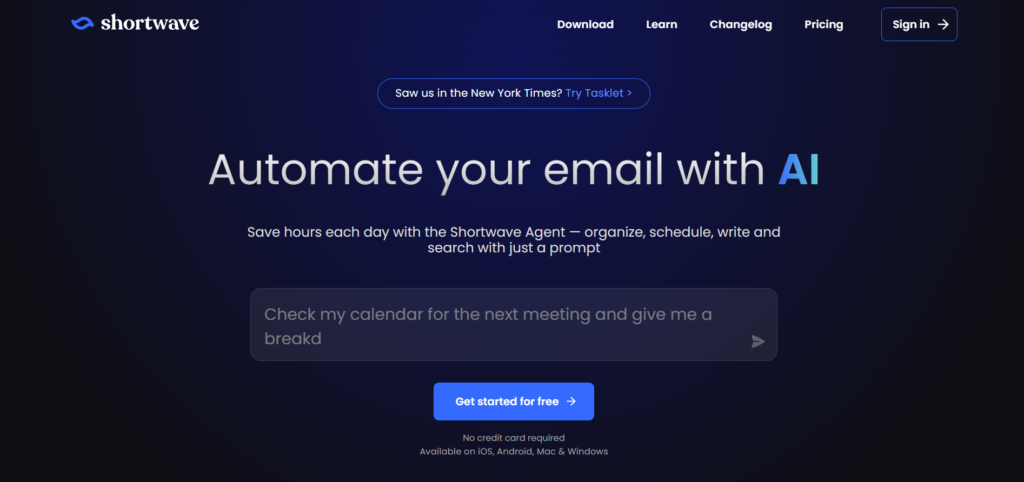
It focuses on summarizing threads, drafting replies, and helping you manage conversations more efficiently within Gmail-like environments.
Best for:
- Email thread management
- Fast replies and summaries
Mailmeteor AI Email Writer
Mailmeteor is more focused on outreach workflows.
It allows you to generate emails and connect them directly with sending workflows, especially useful for campaigns.
Best for:
- Outreach and bulk email workflows
WriteMail.ai
WriteMail is a newer, niche tool built specifically for email writing.
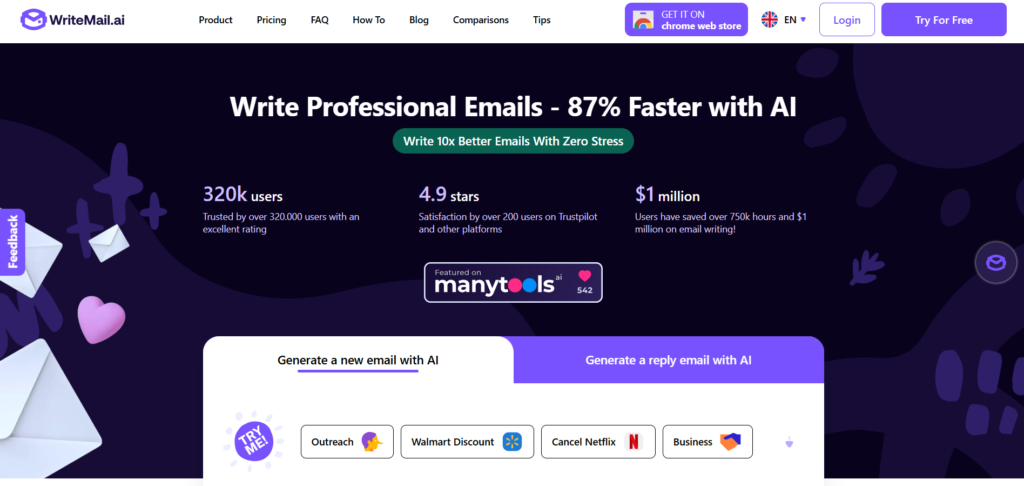
It focuses on generating structured emails quickly with minimal setup, making it useful for users who want a dedicated solution rather than a general AI tool.
Best for:
- Dedicated email generation
- Quick drafts without complexity
How to Think About These Tools
Instead of comparing features, it helps to group them based on how they fit into your workflow:
- Prompt-based tools: ChatGPT, Jasper, Writesonic
- Template-driven tools: Copy.ai, Rytr
- Inbox-integrated tools: GrammarlyGO, Superhuman AI, Shortwave
- Specialized email tools: Mailmeteor, WriteMail
The choice becomes clearer when you look at where you spend your time. If you write emails from scratch, prompt-based tools work best. If most of your work happens inside your inbox, integrated tools are more useful.
Quick Takeaway
There is no single best AI email generator.
The right tool depends on whether you want flexibility, speed, integration, or simplicity. Most users end up combining two types, one for drafting and another for refining or managing emails.
Best Free AI Email Generators
For many users, the first question is simple. Can you actually use an AI email generator for free, and is it good enough for daily work? The answer is yes, but with trade-offs you should be aware of.
Free tools usually fall into two categories. Some offer limited usage of full-featured platforms, while others are lightweight tools designed specifically for quick email generation.
ChatGPT (Free Plan)
One of the most reliable free options.
You can generate full emails, rewrite drafts, and adjust tone using simple prompts. While there are usage limits and fewer advanced features compared to paid plans, it is more than sufficient for most everyday email writing.
Best for:
- General email writing
- Flexible prompts and customization
Copy.ai (Free Plan)
Offers structured templates with limited credits.
The free plan allows you to generate emails using predefined workflows, which is helpful if you prefer guided inputs instead of writing prompts from scratch.
Best for:
- Template-based email generation
- Beginners
Rytr (Free Plan)
A simple and accessible tool with a generous free tier.
It allows you to generate short-form content, including emails, with minimal setup. The interface is straightforward, which makes it easy to use for quick drafts.
Best for:
- Quick emails
- Lightweight usage
QuillBot (Free Plan)
Not a generator in the traditional sense, but very useful alongside one.
You can use it to rewrite and improve AI-generated drafts, especially when you want better clarity or tone.
Best for:
- Editing and refinement
WriteMail.ai (Free Access)
A focused tool for generating emails quickly.
It removes complexity and allows you to create structured emails with minimal input, which makes it useful for users who want a dedicated email generator without a learning curve.
Best for:
- Fast, no-friction email drafts
What You Get (and Don’t Get) for Free
Free AI email generators are useful, but they come with clear limitations.
What works well:
- Generating basic email drafts
- Rewriting and improving emails
- Experimenting with tone and structure
Where they fall short:
- Limited usage or credits
- Fewer customization options
- Less control over brand voice or advanced workflows
When Free Tools Are Enough
Free tools are more than enough if your needs are straightforward.
They work well when:
- You write a moderate number of emails
- You need help getting started, not full automation
- You are comfortable editing the final output
When You Might Need to Upgrade
At some point, limitations start to show.
You may want to consider paid tools if:
- You write emails at scale
- You need consistent tone across teams
- You want deeper integrations with your workflow
The key is to treat free AI email generators as a starting point. They can handle most day-to-day email writing, and for many users, that’s all that’s needed.
How to Use an AI Email Generator (Step-by-Step)
Using an AI email generator is straightforward, but the quality of the output depends heavily on how you guide it. A few small adjustments in how you prompt and refine the draft can make a noticeable difference.
Step 1: Define the Purpose Clearly
Start by being specific about what you want the email to achieve.
Instead of a vague prompt, include:
- The goal of the email
- Who it’s for
- The context or situation
For example, “Write a follow-up email after a client meeting discussing pricing” works much better than “write a follow-up email.”
Step 2: Generate the First Draft
Once the intent is clear, generate a draft using the tool.
Most AI email generators will produce a structured email with:
- A subject line
- Opening line
- Main message
- Closing
At this stage, don’t aim for perfection. The goal is to get a usable starting point.
Step 3: Refine the Structure and Tone
The first draft is rarely final.
Review the email and adjust:
- Tone (formal, friendly, direct)
- Length (shorter or more detailed)
- Clarity (remove unnecessary lines)
Small edits here improve readability and make the email feel more natural.
Step 4: Add Personalization
This is where your input matters most.
Include details that the AI cannot infer:
- Names and references
- Specific points from a conversation
- Context unique to the recipient
This step turns a generic draft into a relevant message.
Step 5: Final Review Before Sending
Before sending, do a quick check.
Look for:
- Accuracy of information
- Tone alignment with the situation
- Any awkward phrasing
Even strong drafts benefit from a quick human pass.
The process is simple, but the difference comes from how you guide it. Treat the AI as a starting point, not the final step, and you’ll consistently get better results.
AI Email Generator vs AI Email Assistant
These two terms are often used interchangeably, but they refer to different types of tools. Understanding the difference helps you choose the right tool based on how you actually handle email.
AI Email Generator
An AI email generator is designed to create emails from scratch based on a prompt.
You describe what you want to write, and the tool produces a complete draft. It works best when you’re starting from a blank screen or need to quickly structure a message.
Typical characteristics:
- Prompt-based input
- Generates full emails
- Works outside your inbox
- Requires manual copy and paste
Best suited for:
- Writing new emails
- Drafting outreach messages
- Creating structured responses quickly
AI Email Assistant
An AI email assistant works inside your inbox and helps you manage and respond to emails in real time.
Instead of generating emails from scratch, it reacts to incoming messages and suggests replies, summaries, or edits.
Typical characteristics:
- Integrated with email platforms
- Context-aware within threads
- Suggests replies and improvements
- Works continuously as you manage emails
Best suited for:
- Replying to emails quickly
- Managing large volumes of messages
- Summarizing long email threads
Key Difference in Practice
The difference becomes clear when you look at how you use email.
If you’re creating a message from scratch, a generator is more useful. If you’re responding to incoming emails throughout the day, an assistant fits better into your workflow.
Many users end up using both. A generator helps with drafting, while an assistant improves speed and efficiency inside the inbox.
AI Email Generator vs AI Email Assistant (Quick Comparison)
| Feature | AI Email Generator | AI Email Assistant |
|---|---|---|
| Primary Function | Creates emails from scratch | Helps manage and reply to emails |
| How It Works | Prompt-based input | Works within email inbox |
| Usage Style | You generate emails manually | Assists you in real time |
| Context Awareness | Limited to prompt | Understands email threads |
| Integration | Usually separate tool | Integrated with Gmail/Outlook |
| Best For | Writing new emails | Responding to incoming emails |
| Speed Benefit | Faster drafting | Faster replying and managing |
| Examples | ChatGPT, Copy.ai, Rytr | GrammarlyGO, Superhuman, Shortwave |
How to Choose the Right AI Email Generator
With so many options available, how to choose the right AI copywriting tool depends less on features and more on how you actually use email in your day-to-day work. A tool that works well for one use case may feel unnecessary or limiting in another.
Choose Based on Your Use Case
Start with what you need the tool for.
If your primary goal is to write emails from scratch, prompt-based tools like ChatGPT or Jasper give you more flexibility. If you prefer guided workflows, template-driven tools like Copy.ai or Rytr make the process easier.
For outreach or campaign-style emails, tools that connect with sending workflows, such as Mailmeteor, can be more effective.
Choose Based on Your Workflow
Think about where you spend most of your time.
If you usually write emails outside your inbox and then send them, standalone generators work well. If most of your work happens inside Gmail or Outlook, an integrated tool like GrammarlyGO or Superhuman AI may be a better fit.
The goal is to reduce friction, not add another step.
Choose Based on Level of Control
Some tools give you full control over tone and structure, while others simplify the process with predefined formats.
If you’re comfortable refining outputs and experimenting with prompts, flexible tools offer better results. If you want quick, usable drafts with minimal effort, simpler tools are more practical.
Choose Based on Budget
Free tools are often enough for basic usage.
They work well for generating drafts and handling everyday communication. However, if you need higher usage limits, team collaboration, or consistent brand voice, paid plans start to make more sense.
Choose Based on Scale
Your needs change as volume increases.
For occasional emails, almost any tool will work. As the number of emails grows, you may need:
- Faster generation
- Consistent tone across messages
- Integration with your existing workflow
At that point, investing in a more advanced tool can save time and improve consistency.
The decision becomes clearer when you focus on how you actually write and manage emails. The best AI email generator is not the one with the most features, but the one that fits naturally into your workflow.
Frequently Asked Questions (FAQs)
What is an AI email generator?
An AI email generator is a tool that creates email drafts based on a prompt. You provide details such as purpose, tone, and context, and the tool generates a structured email that you can edit or send.
Are AI email generators free to use?
Many tools offer free plans or limited access. These are usually enough for basic email writing, but may include usage limits, fewer features, or restricted customization compared to paid versions.
Can AI write professional emails?
Yes, AI email generators can produce professional emails with proper structure and tone. However, you may still need to refine the content to match your specific context and communication style.
What is the difference between an AI email generator and an AI email assistant?
An AI email generator creates emails from scratch based on a prompt. An AI email assistant works inside your inbox and helps you reply, summarize, or improve emails in real time.
Which is the best AI email generator?
There is no single best tool for everyone. Options like ChatGPT, Copy.ai, and Rytr work well for general use, while tools like GrammarlyGO or Superhuman are better for inbox-based workflows.
Can AI email generators replace human writing?
No, they are best used as a starting point. They handle structure and speed well, but still rely on human input for context, personalization, and final refinement.